Author: Computerworld

Opera launches local browser AI, testing enterprise privacy and AI PC strategies

Opera has begun rolling out AI models that run locally in its browser, potentially allowing enterprises to perform certain AI tasks on existing PCs without sending the relevant data to cloud AI providers.

The company said it has introduced support for WebAI, a proposed web standard, through an opt-in early preview in Opera One. The technology allows websites and browser extensions to access AI models running locally in the browser for tasks such as generating text and classifying content.

The WebAI preview supports 64-bit Windows PCs running Intel or AMD processors and Macs powered by Apple silicon. Opera does not specify a requirement for a dedicated neural processing unit, although it says performance depends on the device’s hardware.

The preview does not currently support Windows on Arm, potentially limiting its availability across some newer AI PCs.

The feature is optional, with AI models downloaded only after users enable it. Opera said website-specific permissions allow users to control which sites can access the locally running models.

Opera said its implementation supports models including Google’s Gemma and Apple’s on-device foundation model on compatible Macs. The company said it plans to introduce additional models optimized for different devices as it expands the technology.

Local AI shifts enterprise security risks

Opera’s implementation could have implications beyond its own browsers if the proposed WebAI standard gains wider adoption, potentially bringing locally running AI models to more enterprise users.

The privacy benefits for enterprises could depend on how organizations control access to locally running models, particularly through websites and browser extensions.

Pareekh Jain, CEO of Pareekh Consulting, said processing sensitive information locally could reduce enterprise security risks by limiting the need to send data to external AI providers. However, he warned that the approach could make it harder for IT departments to monitor activity on individual devices.

“It is easier for IT to monitor internet traffic,” Jain said, adding that monitoring activity on individual laptops can be more difficult.

He warned that malicious websites could potentially manipulate local AI models through hidden prompts, while rogue browser extensions could gain access to sensitive information displayed on a user’s screen.

“Local processing reduces risks but does not eliminate them,” Jain said.

Enforcing consistent safeguards across employee devices would become imperative for enterprises, according to Tulika Sheel, senior vice president at Kadence International.

“Enterprises still need controls over which websites and extensions can access local models, how information is used, and how models and browser permissions are managed across the organization,” she said.

Could browser AI reduce the need for new AI PCs?

While WebAI can run on existing computers, its ability to reduce enterprise spending on new AI PCs will depend on whether those machines can deliver acceptable performance for everyday business tasks.

Jain said smaller AI models could handle tasks such as summarization and rewriting on existing PCs, potentially reducing the need for immediate hardware upgrades.

“Complex reasoning and advanced AI workloads will still benefit from dedicated AI hardware or cloud infrastructure,” he said.

WebAI’s support for compatible models from different providers could give developers greater flexibility in choosing which AI systems to use.

Browser-based AI could also reduce enterprise spending on cloud services by lowering API usage and dependence on external AI providers. However, limitations in model capabilities and enterprise integration could restrict its usefulness for more sophisticated applications.

“The future will likely be hybrid, with browser AI handling simpler tasks and cloud AI supporting advanced workloads,” Jain said.

Sheel said enterprises would still need to account for the costs of model updates and integration with existing systems, even if local processing reduces their cloud AI usage.

“Lower usage costs do not automatically mean lower total costs,” she said.
The case for a full-circle Googlebook future

Put on your finest propeller-packin’ thinking caps, my fellow Android-appreciating animals — ’cause I’ve got a brain-bending bit of big-picture thinking about the future of Android and everything around it.

This pondering comes out of my ongoing time living with one of Google’s new Googlebook laptops — the beautifully built Lenovo Googlebook (provided to me as a short-term loaner for editorial assessment). Right now, the Googlebook experience itself is best summed up as an awkward start with plenty of potential. Android in a laptop environment just comes with an awful lot of asterisks, especially when you’re trying to use such a system for serious work. In many ways, it feels like a step down from the more polished and productivity-optimized Chromebook setup it’s ultimately designed to replace.

But while working on a Googlebook and using it as your primary computer still seems like a bit of a square-peg situation, I’ve been struck by one area where the Googlebook OS software at the center of the experience feels almost shockingly natural.

And that’s led me down a rabbit hole of pondering about the bigger-picture implications of this operating system and how it could, at least in theory, one day affect the rest of the Android ecosystem.

Lemme explain.

[Get original Googley insight in your inbox with my free Android Intelligence newsletter — one new thing to try every Friday.]

A Googlebook by any other name

So, at its core, Googlebook OS is essentially Android — right? The software that powers Googlebooks is a specialized version of Android 17 designed to have some ChromeOS-like elements along with phone-connecting powers and a handful of feature additions that help it work better on a big screen.

And the more I use it, the more I keep coming back to a thought that I mentioned in passing in my initial Googlebook analysis — that this is what the Android tablet interface oughta be.

Think about it: Google has never really figured out how it wants an Android tablet to work — or if and how it even wants to promote and support the development of that not-quite-a-phone, not-quite-a-laptop form factor in the first place.

Early on, we saw a completely large-screen-optimized Android version called Honeycomb (a.k.a. Android 3.0 through 3.2), where Google gave us a dramatically reimagined interface designed to take full advantage of the tablet’s added screen space.

JR Raphael, Foundry

It wasn’t long, of course, before Google did its Google Thang™ and gave up on that idea — and that’s to say nothing of the even more ambitious Android tablet plan the company spent millions of dollars to develop and then never brought to fruition at all. By a certain point, it became obvious that Google was for all practical purposes giving up on Android tablets and that touch-oriented Chromebooks were effectively filling that role for informed buyers.

Fast-forward through a few other confusing short-lived pivots — the very brief return to tablet devotion with the ChromeOS-running Pixel Slate, the declaration of being done with tablets that followed, and the about-face and (once more) brief return to tablet devotion with the Pixel Tablet and its admirable but never fully realized and rapidly abandoned tablet-smart-display combo philosophy — and we’re back to a present now where Android tablets are mostly an afterthought, as far as Google and the underlying platform are concerned.

With all of that in mind, using a Googlebook is a bit of a revelation — when you think about the experience as less of a full-fledged laptop replacement and more of a potential future for a revamped Android tablet.

The Googlebook-Android tablet connection

Consider: In many ways, Googlebook OS picks up where Honeycomb left off 15 years ago — as far as the interface itself is concerned. It feels like a familiar Android environment, for anyone who’s used Android on a phone, but with some thoughtful touches that make it more sensible in that larger-screen setting. Everything from having the clock in the upper-left corner alongside a split-apart notification panel and Quick Settings area in the right to having the same desktop-style taskbar we’ve seen on recent Android foldables just feels right when you frame a Googlebook as a tablet and not, first and foremost, a work laptop.

JR Raphael / Foundry

Plain and simple, it’s Android — only optimized for a larger screen. And, thanks to its ChromeOS-inspired elements, it adds in the advantages of a less restrictive big-screen browser environment and smarter tools for interacting with your phone. The elements that feel awkward for a work laptop don’t matter as much in an Android tablet, which you’re more likely to use as a touch-centric supplement and companion to your workday computer and as a device where productivity is more of an occasional add-on as opposed to the primary purpose.

As a tablet interface, Googlebook OS gives you a souped-up version of the standard Android tablet setup that’d also be much more useful than a traditional tablet when you connect a keyboard. And without the expectation of it completely replacing your computer, it suddenly makes a lot of sense.

So riddle me this: With Android tablets being an afterthought now, anyway, what’s to stop Google from starting over — yes, again — and encouraging companies to create Googlebook tablets next?

It’d allow Google to rebrand and relaunch a category that’s always struggled to catch on and get past its not-so-exceptional early reputation. And for us, as users of these products, it’d give us some overdue options for a larger slate-like Android experience that’d work seamlessly with our phones, be pleasingly familiar and capable, and offer the unique advantage of having a mostly desktop-caliber browser for light work when such needs arise (with or without a keyboard connected) — all with the kind of timely and reliable software support promise any such product should provide.

And — oh, yes — there’s more.

Googlebook, Googlebook, everywhere

Here’s the real mind-blowing next-step possibility to consider: If we do one day have Googlebook tablets — and the Googlebook OS software at the heart of them continues to evolve and become a core focus for Google as time moves on — how much of a leap would it be from there to see things streamlined and reaching a point where we also have Googlebook phones?

It brings me back, fittingly enough, to a question I posed over a decade ago — back when Android and ChromeOS were coming ever-closer together and it looked like that was the path Google was pursuing.

Consider this now, with the notion of Googlebook OS in the mix in place of ChromeOS:

If all Android apps can eventually run on ChromeOS — and if ChromeOS evolves to look more like Android while web apps and Android apps grow increasingly similar in design — would you notice the difference between a phone running Android and a phone running Chrome?

The specific platforms and concepts at the center of this have shifted since we last thought this through in 2015, but the idea itself is the same.

And, once more, there’s no better way to end this contemplation than by saying:

Welcome to the Matrix, my friends. Whoaaa. 

Keep the creative thinking coming with my free Android Intelligence newsletter — one new thing to try every Friday and my experience-enhancing Android Notification Power-Pack as an instant welcome bonus.

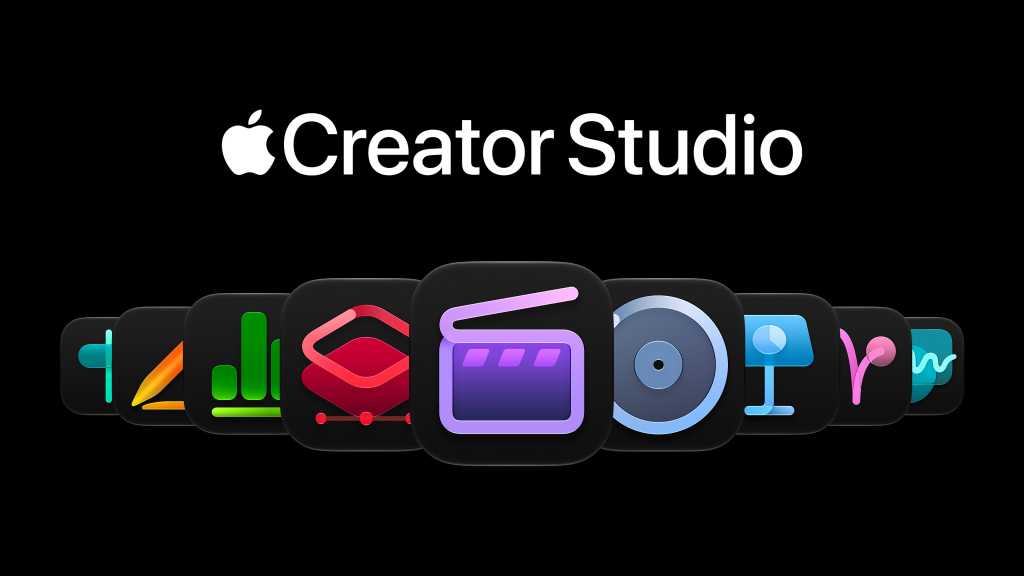
Apple updates iMac, MacBook Pro, and Creator Studio

Apple’s second day of launches this week saw it follow its tempting iPad mini upgrade by pumping up the processor in two of its most popular Macs, even while it injected artificial intelligence into Creator Studio.

24 hours of portable pro performance: 14-in MacBook Pro

Apple’s 14-inch MacBook Pro is popular but sits in a funny place in Apple’s notebook lineup, with the powerful and popular MacBook Air biting at its heels and the more performant and powerful (though not yet M6) MacBook Pro models sitting above.

We already know what the M6 chip is capable of, because it is already inside the Mac mini (which will be made in the US later this year). We know it delivers better single-core scores on Geekbench than the 10-core M5 MacBook Pro. We also know it beats that last MBP in multi-core. Now that same chip is available in a 14-inch MacBook Pro — a really promising dose of power and performance in a highly portable pro Mac that now packs a mighty 24-hour battery life.

The chip gives you a 12-core CPU, a 12-core GPU with Neural Accelerators in each core, a dual 16-core Neural Engine, and faster (16GB, upgradable up to 32GB) unified memory. What that means is power. And what that means is productivity — 30% faster graphics compared to last year’s model. 

For those upgrading from M1, the performance gains are even more significant, with up to 11x faster graphics and up to 13x faster AI performance. The idea is that you’ll pick up your highly portable pro portable and take it anywhere you need it to be.

What’s new in Apple’s new portable pro laptop other than the processor?

  • Networking has been enhanced with Wi-Fi 7 and Bluetooth 6.
  • It will support up to two external 6K displays.
  • Liquid Retina XDR display with up to 1,600 nits of peak brightness.
  • 12-megapixel Center Stage camera. 
  • Support for fast charging.
  • HDMI, MagSafe 3, three Thunderbolt 4 slots, SDXC card reader.
  • Headphone jack.

Available in Space Black and Silver.

Pre-order from October 28, in stores November 6.

New colors, new processors, the new M6 iMac

You don’t even need me to say it anymore, but the introduction of M6 chips inside the iMac makes the all-in-one desktop even more powerful and performant. This tops out a 12-core CPU, 12-core GPU, and Dual 16-core Neural Engine. 

Those fast processors combined with the fast, 170GB/s memory bandwidth means you’ll get twice the graphics performance of the M4 iMac. The Mac ships with 16GB of unified memory, but you can upgrade up to 32GB if you like spending money.  

Inevitably, the new iMac is faster for, well, everything. You’ll be hitting pro performance comparisons all over again as Apple silicon continues to redefine expectations across the industry, putting pro performance in reach of most people. It’s all about AI at Apple at the moment, so expect 12 times faster performance in some tasks compared to the M1, Apple said. 

Some specifications:

  • The iMac retains the 4.5K 24-inch Retina display, 500 nits, and P3 wide color of before.
  • It brings Wi-Fi 7, Bluetooth 6, and 2.5Gb Ethernet.
  • It will support up to two external 6K displays.
  • Up to four Thunderbolt 4 ports.
  • 12MP Center Stage camera.
  • 2x faster SSD read and write.
  • Touch ID.
  • Available in blue, green, pink, yellow, purple, orange, and silver.

The new iMac is on pre-sale from October 28 and in stores from November 6. It costs $1,499 with a 10-core CPU, 10-core GPU, and 16GB of RAM, or $1,699 with a 12-core CPU and 12-core GPU (16GB of RAM). 

Apple leans into AI for creative customers

Of course, once you have put together the world’s leading mass-market AI ecosystem, you have to do something to show that power off. Apple has done this with a selection of interesting updates to its Creator Studio suite of creative tools. They’ll ship in November.

  • Final Cut Pro for Mac now includes a large MotionVFX collection consisting of thousands of visual effects, transitions, and motion graphics tools and built-in Pixelmator Pro editing. Apple has also filled out its Content Hub with a bunch of new video assets that can be snagged from inside Final Cut Pro.
  • Logic Pro gains AI, an enhanced Stem Splitter that now separates drums, a redesigned sound Browser, and a new intelligent assistant powered by a combination of Apple-built models and OpenAI.
  • Pixelmator Pro introduces Generate Fill, which lets creators transform selected areas of an image using natural language.
  • Keynote, Pages, and Numbers introduce new AI features in beta, including assistants that understand document context and new Model Context Protocol (MCP) support for workflow automation. They add stock video in the Content Hub, new premium themes and templates, and that intelligent assistant powered by a combination of Apple-built models and OpenAI.

Now please subscribe to my daily, human-curated Apple-related news headline feed at The Core, or follow me on BlueSky, LinkedIn, or Mastodon.

Microsoft offers exits to thousands of employees, including staff on AI and Copilot teams

Microsoft is offering voluntary exit packages to about 60,000 employees, roughly 27% of its workforce, including staff on teams building Copilot and other AI products, as the company looks for ways to fund its AI investments.

Amy Coleman, executive vice president and chief people officer, announced the Voluntary Exit Offer (VEO) in an internal memo on Monday, which Microsoft republished on its official blog.

“This offer gives eligible employees who may be considering a future outside the company a new choice to make that transition now with support,” Coleman wrote in the memo. It also gives participating organizations “another way to adapt their workforce to changing needs,” she wrote in the blog.

The offer covers employees at level 70 and below in participating teams in the US, Canada, India, and the UK, according to the memo. “Some organizations are providing the Voluntary Exit Offer, and some are not,” Coleman wrote. She added that participation depends on each business’s “priorities, customer commitments and workforce needs.”

However, her memo did not specify how many employees are eligible for this offer. According to a Reuters report, the move will impact about 60,000 employees globally, or about a quarter of the global employee base.

Participating teams include AI experiences, Copilot, Xbox, and Windows + Devices, Reuters reported, citing a person familiar with the matter. Marketing, sales, commercial business, and security teams, along with some data center staff, are excluded, the report added.

Employees have until early December to decide, and those who accept will leave at the end of the year, the report added. The memo describes the offer as time-limited and says it includes financial support and career planning resources. However, it does not give the terms of the packages.

From retirement to exit

The VEO builds on what Microsoft “learned earlier this year through the Voluntary Retirement Program,” Coleman wrote. That program, introduced in April, was aimed at long-serving US employees.

Hood said in April that the retirement program would carry roughly $900 million in one-time costs. In July, she said its expenses had come in lower than expected.

The new offer is not tied to age or years of service, and it extends beyond the US. “The Voluntary Exit Offer is new for us. We’ll learn from it,” Coleman wrote in the blog post.

A smaller company by design

Microsoft has said its workforce will shrink this fiscal year. “We expect headcount will decrease year-over-year,” CFO Amy Hood had said on the company’s April 29 earnings call, referring to fiscal 2027, which began July 1. On the same call, she said the company was changing how it operates “to increase our pace and agility.”

Microsoft employed about 223,000 people full-time as of June 30, 2026, down from 228,000 a year earlier, according to its annual report filed with the US Securities and Exchange Commission. Hood said on the company’s July 29 earnings call that total headcount had declined 2% year over year.

AI spending and the staffing question

The workforce changes coincide with a sharp rise in AI infrastructure spending. Microsoft spent $41 billion on capital expenditures in the quarter ended June 30, Hood said on the July earnings call, and she guided to more than $50 billion for the September quarter.

Microsoft has also urged customers to rethink how they fund AI. On the April earnings call, CEO Satya Nadella said IT budgets would be reshaped by business outcomes and “reallocation from other line items on the income statement, like OpEx.”

Sanchit Vir Gogia, chief analyst at Greyhound Research, cautioned against reading Microsoft’s moves as a template.

“Microsoft’s internal AI use does not establish substitution of particular roles,” he said. He advised enterprises to measure completed work at an agreed quality level across representative roles and difficult exceptions before changing staffing, and to keep experienced staff available while doing so.

“Workforce savings earn credibility through the capability that remains,” Gogia said.

Account coverage in question

Whether customer-facing teams take part is an open question for buyers. Coleman wrote in the memo that participation varies based on each business’s “priorities, customer commitments and workforce needs.”

Microsoft’s annual report counts 89,000 employees in operations, a category that includes product support, consulting services and data center operations. Another 43,000 work in sales and marketing. Microsoft has not said whether staff in either group are eligible.

“The practical test is whether customer-critical capability remains available throughout the transition,” Gogia said. He recommended that CIOs confirm the accountable account owner and a qualified backup. They should then test the successor on an unresolved exception and compare support cases against a recent baseline.

At the same time, Microsoft is adding people to customer engagements. Nadella said on the July earnings call that the company had launched Microsoft Frontier Co., which will embed 6,000 industry and engineering experts with customers.

Gogia said delivery commitments need checking at a granular level. “Aggregate headcount does not identify the expertise required by an Azure migration or a Dynamics implementation,” he said. He advised verifying Azure dependencies by subscription and region, reconfirming Dynamics implementation specialists, and distinguishing previews from contractual milestones on product roadmaps. Microsoft did not immediately respond to a request for comment.

Microsoft offers exits to thousands, including employees on AI and Copilot teams

Microsoft is offering voluntary exit packages to about 60,000 employees, roughly 27% of its workforce, including staff on teams building Copilot and other AI products, as the company looks for ways to fund its AI investments.

Amy Coleman, executive vice president and chief people officer, announced the Voluntary Exit Offer (VEO) in an internal memo on Monday, which Microsoft republished on its official blog.

“This offer gives eligible employees who may be considering a future outside the company a new choice to make that transition now with support,” Coleman wrote in the memo. It also gives participating organizations “another way to adapt their workforce to changing needs,” she wrote in the blog.

The offer covers employees at level 70 and below in participating teams in the US, Canada, India, and the UK, according to the memo. “Some organizations are providing the Voluntary Exit Offer, and some are not,” Coleman wrote. She added that participation depends on each business’s “priorities, customer commitments and workforce needs.”

However, her memo did not specify how many employees are eligible for this offer. According to a Reuters report, the move will impact about 60,000 employees globally, or about a quarter of the global employee base.

Participating teams include AI experiences, Copilot, Xbox, and Windows + Devices, Reuters reported, citing a person familiar with the matter. Marketing, sales, commercial business, and security teams, along with some data center staff, are excluded, the report added.

Employees have until early December to decide, and those who accept will leave at the end of the year, the report added. The memo describes the offer as time-limited and says it includes financial support and career planning resources. However, it does not give the terms of the packages.

From retirement to exit

The VEO builds on what Microsoft “learned earlier this year through the Voluntary Retirement Program,” Coleman wrote. That program, introduced in April, was aimed at long-serving US employees.

Hood said in April that the retirement program would carry roughly $900 million in one-time costs. In July, she said its expenses had come in lower than expected.

The new offer is not tied to age or years of service, and it extends beyond the US. “The Voluntary Exit Offer is new for us. We’ll learn from it,” Coleman wrote in the blog post.

A smaller company by design

Microsoft has said its workforce will shrink this fiscal year. “We expect headcount will decrease year-over-year,” CFO Amy Hood had said on the company’s April 29 earnings call, referring to fiscal 2027, which began July 1. On the same call, she said the company was changing how it operates “to increase our pace and agility.”

Microsoft employed about 223,000 people full-time as of June 30, 2026, down from 228,000 a year earlier, according to its annual report filed with the US Securities and Exchange Commission. Hood said on the company’s July 29 earnings call that total headcount had declined 2% year over year.

AI spending and the staffing question

The workforce changes coincide with a sharp rise in AI infrastructure spending. Microsoft spent $41 billion on capital expenditures in the quarter ended June 30, Hood said on the July earnings call, and she guided to more than $50 billion for the September quarter.

Microsoft has also urged customers to rethink how they fund AI. On the April earnings call, CEO Satya Nadella said IT budgets would be reshaped by business outcomes and “reallocation from other line items on the income statement, like OpEx.”

Sanchit Vir Gogia, chief analyst at Greyhound Research, cautioned against reading Microsoft’s moves as a template.

“Microsoft’s internal AI use does not establish substitution of particular roles,” he said. He advised enterprises to measure completed work at an agreed quality level across representative roles and difficult exceptions before changing staffing, and to keep experienced staff available while doing so.

“Workforce savings earn credibility through the capability that remains,” Gogia said.

Account coverage in question

Whether customer-facing teams take part is an open question for buyers. Coleman wrote in the memo that participation varies based on each business’s “priorities, customer commitments and workforce needs.”

Microsoft’s annual report counts 89,000 employees in operations, a category that includes product support, consulting services and data center operations. Another 43,000 work in sales and marketing. Microsoft has not said whether staff in either group are eligible.

“The practical test is whether customer-critical capability remains available throughout the transition,” Gogia said. He recommended that CIOs confirm the accountable account owner and a qualified backup. They should then test the successor on an unresolved exception and compare support cases against a recent baseline.

At the same time, Microsoft is adding people to customer engagements. Nadella said on the July earnings call that the company had launched Microsoft Frontier Co., which will embed 6,000 industry and engineering experts with customers.

Gogia said delivery commitments need checking at a granular level. “Aggregate headcount does not identify the expertise required by an Azure migration or a Dynamics implementation,” he said. He advised verifying Azure dependencies by subscription and region, reconfirming Dynamics implementation specialists, and distinguishing previews from contractual milestones on product roadmaps. Microsoft did not immediately respond to a request for comment.

OpenAI bets on AI economics with lower-cost GPT-6.1 Terra

OpenAI has launched GPT-6.1 Terra, a new reasoning model that it says delivers near-frontier performance on visual reasoning, professional task execution, and computer-use benchmarks without the premium price tag. Replacing GPT-5.6 Terra, the model is aimed at organizations seeking better accuracy and automation capabilities for large-scale operational workloads.

Claiming it to be a step up from GPT-5.6 Terra at 50% lower price, OpenAI said its new mid-tier model is designed to handle everyday professional work such as drafting proposals, interpreting technical drawings, filling out forms, and editing videos.

“We’re introducing GPT-6.1 Terra, a fast, efficient model that combines detailed visual reasoning and precise computer use alongside clearer, more natural writing,” the company noted.

GPT-6.1 Terra targets developers and enterprises looking to automate everyday knowledge work at scale without paying premium prices for frontier AI models, said Pareekh Jain, CEO at EIIRTrend & Pareekh Consulting. “Enterprises need AI models that balance intelligence, speed and cost. Frontier models are expensive for routine tasks, while smaller models may lack sufficient capabilities. Terra addresses this gap, competing with Anthropic’s Claude Sonnet and Google’s Gemini Flash models.”

Better performance at lower cost

The new reasoning model sits between OpenAI’s lower-cost GPT-6 Luna and its higher-capability GPT-6.1 Sol and GPT-6 Astra models.

As OpenAI has positioned computer use as a central capability of GPT-6.1 Terra, it is backing those claims with a series of benchmark scores. On Agents’ Last Exam, a benchmark of professional tasks, at max effort, GPT-6.1 Terra scored 60.0% at a cost of $1.01 per task, compared to 50.7% for GPT-5.6 Terra ($3.58), 58.6% for GPT-6.1 Sol ($2.00), and 59.3% for GPT-6 Astra ($7.24). In comparison, Claude Opus 5.5 scored 63.2% at max effort, costing $8.82 per task.

Visual reasoning results on the MMMU-Pro benchmark show GPT-6.1 Terra outperforming its predecessor, GPT-5.6 Terra, while nearly matching top-tier frontier models like GPT-6 Astra and GPT-6.1 Sol across every reasoning configuration, at a fraction of the cost. At max effort, GPT-6.1 Terra achieved an 85.5% score at $0.012 per task, compared to GPT-5.6 Terra’s 81.7% at $0.079. Within the current family lineup, GPT-6 Luna scored 79.9% ($0.0021 per task), GPT-6.1 Sol hit 86.3% ($0.013 per task), and flagship GPT-6 Astra led at 86.7% ($0.065 per task). OpenAI did not include competitor model comparisons for this specific benchmark.

On the OSWorld 2.1 benchmark, which evaluates how AI agents navigate desktop applications to perform complex multi-step tasks, GPT-6.1 Terra scored 74.2% at max effort, costing $1.19 per task. That marks a substantial upgrade over GPT-5.6 Terra’s 57.1% score at $4.76 per task. However, it still trails Anthropic’s Claude Sonnet 5.5, which led the category at 83.9% with a cost of $5.74 per task.

OpenAI also claims to have invested heavily in reducing hallucinations and factual errors produced, and as per the internal benchmark of error-inducing prompts, the error rate at low reasoning effort fell from 53.6% with GPT-5.6 Terra to 16.7% with GPT-6.1 Terra, and at maximum effort, the error rate fell by 18 percentage points to 4.3%, nearly matching the rates for GPT-6 Astra and GPT-6.1 Sol. On cybersecurity, GPT-6.1 Terra meets the Critical threshold under OpenAI’s Preparedness Framework and retains the safeguards developed for GPT-6 Astra.

“Terra is ideal for high-volume tasks such as invoice processing, document analysis, application automation and routine coding. It improves on GPT-5.6 Terra in speed and accuracy, while GPT-6.1 Sol is better suited for complex reasoning, research, and software engineering,” noted Jain.

However, Jain cautions that technical benchmarks alone are insufficient. Enterprises should test Terra on their own workloads, measuring task completion rates, accuracy, execution time, cost per workflow, human intervention, and compliance with security requirements.

Economics, not just pricing

GPT-6.1 Terra is available to all Plus, Pro, Enterprise, and Edu users in ChatGPT Work and Codex. Developers can also access it through the OpenAI API as gpt-6.1-terra.

OpenAI has priced GPT-6.1 Terra at $1 per million input tokens, $5 per million output tokens, and $0.05 per million cached input tokens, positioning it as a lower-cost alternative to its high-tier models. By comparison, entry-level GPT-6 Luna costs $0.10 for inputs, $0.50 for outputs, and $0.01 for cached inputs per million tokens. GPT-6.1 Sol sits at $2 for inputs, $10 for outputs, and $0.10 for cached inputs, while flagship GPT-6 Astra commands $10 for inputs, $50 for outputs, and $1 for cached inputs per million tokens.

Claude Sonnet 5.5, on the other hand, is priced at $2 per million input tokens and $10 per million output tokens, and cached costs $0.10 per million tokens.

“Cheaper inference improves one component of agent economics. Terra’s base rates are half Sol’s, but review and integration still require funding,” Sanchit Vir Gogia, chief analyst at Greyhound Research. “Token processing is fuel with a higher operating cost. A CFO relieved by cheaper fuel needs to establish what happens to acceptance and review demand. In the illustrative coding workload, 5.4 additional review seconds erase the inference saving. At scale, the relevant purchase is completed work that remains correct and authorized.”

The article originally appeared on InfoWorld.

The right model at the right moment: Vendors push their agentic AI PC vision

AI is getting expensive, and companies are looking to cut token costs. The solution: move more AI work to PCs.

The PC won’t replace the cloud. Preliminary AI work can be done on a PC, and tougher work — which today’s PCs can’t handle — can go to the cloud.

“We’ll always need to use the most advanced cloud-based frontier models for certain tasks, but… we don’t need to use them for everything,” wrote TECHnalysis Research Insights president Bob O’Donnell in a LinkedIn post.

That’s the vision Microsoft calls “hybrid intelligence,” in which Windows makes AI always available. The cloud models run the hardest tasks, and less demanding tasks run locally on the PC. For Windows machines, at least at this point, that means  Copilot+ AI PCs.

“The future of AI is not about having just one model. It’s about having the right model at the right moment — frontier capability when you need it, smaller, faster models when you want speed,” said Pavan Davuluri, head of Windows and Devices at Microsoft, at an Oct. 7 PC launch event.

Hybrid intelligence will be everywhere, blurring the line between AI in the cloud and the PC, said Microsoft CEO Satya Nadella at the event.

“I just want to use my computing power wherever it is in sort of a seamless flow of what I’m trying to get done,” he said.

Agentic AI PCs

Microsoft recognizes that hefty cloud token bills are making enterprises hesitate to scale AI. Its answer: offload AI tasks that don’t need cloud models to AI PCs.

About 10% to 15% of AI workloads will run on PCs and 40% to 45% in the cloud in the next three to four years, said analyst Jack Gold of J. Gold Associates.

“Companies will need AI-accelerated PCs, and at some point we’ll likely see a renewed emphasis on buying newer machines,” Gold said.

Enter agentic AI PCs, which can run agents, generate video, write code and chat with advanced genAI models on a PC. If the PC can’t do the job, it is sent to the cloud.

“A year ago, such capabilities were exclusive to frontier cloud models. Now you can have these capabilities running on your PC,” Microsoft’s Davuluri said.

Agentic AI PCs are equipped with powerful GPUs that are distant cousins of the GPUs in data centers. Nvidia’s RTX Spark superchip — which has a Blackwell GPU — powers many of them, including Microsoft’s new Surface Laptop Ultra.

Unlike older AI PCs, the new agentic PCs can run full AI models and have enough compute power to run them fast, said Gerardo Delgado, senior director of product management at Nvidia. They give users and enterprises a path to advance AI projects.

“To us, an AI PC is the PC that will… run those local models so that you can actually keep the level of intelligence and enjoy the economic benefits,” Delgado said.

Local, by design

HP’s newly announced ZBook Ultra G3a mobile workstation has an AMD GPU that generates free tokens and cuts cloud bills, said Brian Allen, manager for Global Z workstation products at HP.

“It can be on-prem. They don’t have to worry about confidential information going to cloud, or tracking tokens and getting $1,000 charges a week,” Allen said.

The ZBook Ultra G3a packs Perplexity’s Portable Computer service, which has agents that can link a local model to frontier models in the cloud.

For example, an agentic PC can handle basic AI-based design work in Autodesk’s Revit 3D modeling software without an internet connection. For more advanced design work, Perplexity can advance it to one of 19 frontier models in the cloud, whichever fits best.

Designers will likely offload general tasks to frontier models in the cloud and keep proprietary work local, Allen said.

HP links to Perplexity’s tools in the Windows taskbar. Perplexity has MCP connectors for Revit, and users can just type in their desire.

“I can do contextual typing of, ‘hey, build this for me,’ without having to know the details of that,” Allen said. It takes years to learn the intricacies of Revit, but “I can really learn how to do Revit through agentic AI in a matter of hours,” he said.

Coding pest control

Microsoft demonstrated how a local model could save token costs typically incurred in the cloud.

A team couldn’t reproduce a software bug, so GitHub Copilot picked GPT-6 Luna in the cloud to analyze the code. The cloud model then handed off building and testing to local sub-agents running MAI Code 1.1 Flash on a PC to reproduce the bug.

The local work was free. One sub-agent fed 1.6 million tokens of code and context to the local model, which generated 10,500 tokens in response, a GitHub product manager said during the demonstration.

To make that possible, Microsoft compressed the 130-billion-parameter MAI Code 1.1 Flash model so it can run on a PC.

“We have taken that model to three bits of precision, reducing its size by nearly 80% while preserving coding quality,” Davuluri said.

The demonstration used GitHub’s HydraFusion feature, which moves coding tasks between local models and the cloud. Microsoft is bringing the feature to GitHub’s Copilot app for Windows Copilot+ PCs.

Many challenges remain

Using agentic AI on PCs isn’t as simple as installing models or software, said analyst Gold. Companies will also need to develop and customize models for such PCs, depending on applications in enterprise environments.

Open-source AI models, which can be customized, on those machines could “significantly reduce AI costs and increase ROI,” Gold said.

Also, the first agentic AI PCs hitting the market are expensive. Microsoft’s Surface Laptop Ultra starts at around $2,600, reaching $6,000 with all the bells and whistles.

A cheaper laptop can do the same job using cloud AI models, and the Surface could quickly go out of date as new models arrive, wrote senior reporter Mark Hachman at sister publication PCWorld in a product review.

Analysts expect PC prices to remain elevated until the end of 2027, partially due to high component costs, the Iran war, and an uncertain economic environment.

A hybrid AI environment is the way forward, but using AI on a PC or the cloud isn’t exactly seamless yet, wrote Tom Mainelli, group vice president at IDC, in a LinkedIn post.

“For much of this to waterfall down to the average user, many different things will need to happen across component pricing, model evolution, agentic use cases, and more,” Mainelli wrote.

HP is still trying to figure out a market for agentic AI PCs. It’s a long learning curve for customers on how to use it, Allen said.

“They’re in the ‘this PC is too good to be true’ phase… ‘let me benchmark it on my own RAG model and see how it really works,'” Allen said.

Apple confirms iPhone Duo problem. What will it do next?

Apple has responded to recent reports complaining that iPhone Duo displays have become damaged in normal use. The company is “aware” of the issue and suggests any of the “small number” of customers who encounter the problem contact AppleCare for a replacement.

Apple acknowledges the issue

While the matter has already been widely reported citing unsubstantiated claims on social media, this is the first credible confirmation of the problem. In making it, Apple took pains to explain the problem does not impact all iPhone Duo units, just a small subset of them. “We are aware of an issue impacting the inner display on a small number of iPhone Duo units,” the company said. 

Reports say that cracks appear in the same place on the iPhone Duo: along the center of the hinge, often followed by a bright line of stuck pixels. Several owners report the cracks appearing after only a handful of openings.

What Apple will do now

I imagine that what is happening now is that Apple is gathering intelligence as damaged units are returned to AppleCare. It will seek to understand the nature of the problem, which it will then attempt to trace through its manufacturing process in order to identify the source. Speculatively, the cause could be something as simple as a misaligned tool on the production line, though the fact that the problem doesn’t impact every iPhone Duo suggests it is not necessarily inherent to the design of the product.

If I’m right and Apple has identified the problem as a manufacturing issue, then Apple representatives will be in crisis contact with their suppliers to track the problem down and resolve it. That’s going to mean a little lost production while factory production lines are checked and verified, and whatever problem is causing these faults is hopefully resolved.

Production challenges and teardowns

Either way, Apple is unlikely to be in position to clarify the nature of the problem immediately pending further investigation of returned devices. Unless, that is, it is connected to one of the production challenges it faced when it began manufacturing the device. We’ve seen multiple reports claiming the yield of good devices was quite low. Was this the problem? Apple hasn’t said.

iFixit’s iPhone Duo teardown speculates that a hinge or other component getting stuck when the device folds may be the cause. “The damage we’re seeing in photos isn’t right where the display cable passes through the hinge, but slightly lower, at a point where several edges meet and change how the thin display is supported as it bends,” they wrote. They also said the iPhone Duo is the most repairable folding smartphone they’ve seen so far.

What happens next? 

That’s up to Apple, but with the company preparing to launch the iPhone Duo in 28 more nations at the end of the week, its response needs to be public, visible, and credible. 

“We all remember when Samsung experienced problems with the original Galaxy Fold in 2019, but it also showed that a fast and transparent response can contain the damage to a category,” said IDC VP Worldwide Devices Francisco Jeronimo in a note shared with Computerworld.

Offering a free replacement for affected devices is the right first step. “At $1,999, Apple is positioning the Duo as a premium alternative to established foldables, and how it handles this first-generation issue will shape buyer confidence in the category well beyond its own sales,” Jeronimo said. 

“Apple has a loyal customer base and a retail network that can swap devices on the spot, but with a further 28 markets launching on 30 October, it needs to clarify its warranty position quickly,” he said.

A first firefight for Ternus

However, while Apple has confirmed there is a problem impacting some devices, the vast majority of the millions of iPhone Duo smartphones now in use don’t seem to be succumbing to it. Nonetheless, Apple’s new product-focused leader, CEO John Ternus, now has a firefight on his hands.

Now please subscribe to my daily, human-curated Apple-related news headline feed at The Core, or follow me on BlueSky, LinkedIn, or Mastodon. Apple confirms iPhone Duo problem, what will it do next?

No signal, no problem: Smaller models bring more AI capabilities on-device

When OpenAI’s GPT-3 was released in 2020, at 175 billion parameters, it was the largest language model the world had ever seen. In the years that followed, frontier AI systems exploded in size, with today’s largest models clocking in at well over a trillion parameters. But there is a countercurrent of AI research moving in the opposite direction, with pioneers like Tether building a new generation of smaller AI models.

Requiring a fraction of the computing power of their heavyweight cousins, this emerging field of lightweight models is driving a shift toward more on-device AI, with a growing range of applications now able to run locally, rather than relying on the cloud.

At around four billion parameters, even the largest among Tether’s suite of compact models is tiny compared to frontier AI systems, while others are small enough to run on a basic smartphone, without requiring an internet connection once downloaded.

Mega models and the limits of scaling

As AI labs have pursued larger context windows, more sophisticated reasoning, and multimodal capabilities, model sizes have increased significantly in recent years, to the extent that parameter count, cluster size, and megawatt consumption are often framed as proxies for performance.

This narrative assumes that bigger is always better, and for a while, it was. Research has demonstrated the existence of scaling laws: predictable mathematical relationships showing that increasing model parameters, training data, and compute power led directly to superior performance and emergent capabilities. To build more intelligent systems, frontier AI developers simply had to throw more resources at the challenge.

The problem is that brute force AI scaling offers diminishing returns. And while global data center capacity is expanding rapidly, the supply of human-generated training data that fueled language model growth until now is increasingly depleted.

Moreover, reducing cross-entropy loss (what scaling laws actually measure) was never a direct stand-in for advances in AI capability. In reality, the greatest leaps in performance have usually come from better training data, new techniques and innovative designs. And in an age of runaway AI investment, gigawatt-scale data centers and multi-billion dollar cloud budgets, researchers are growing skeptical of the notion that scale will remain such a key lever for progress.

Compact AI advances

While a small number of powerhouse AI labs remain locked in a battle for frontier dominance, some of the most exciting developments are happening elsewhere.

For instance, Tether’s compact models span various domains, including medical reasoning (MedPsy), translation (TranslatePsy), and visual processing (VisionPsy).

In each case, the company has proven that lightweight, specialized models can routinely outperform larger generalist ones on specific tasks, all while running smoothly on off-the-shelf consumer hardware.

To fit more intelligence into a smaller container, Tether’s QVAC research team has focused on data curation and compression techniques like quantization.

Most recently, the team released Genesis III, expanding the corpus of synthetic training data from previous generations to include 191 billion tokens spanning 19 STEM domains. In contrast to the giant libraries of web-scraped data used to train the first wave of LLMs, Genesis datasets are highly specialized. Think of them as educational textbooks, complete with correct and incorrect examples, and reasoning steps to help AI models develop expertise in a specific area.

As well as curating high-quality training data, Tether uses a compression technique known as quantization to make its models run more efficiently. Unlike distillation, which reduces the number of parameters in a model, quantization swaps high-precision weights for leaner, low-bit ones that take up less memory.

Within the open-source AI movement, 8-bit and 4-bit models have become the default for many projects. At the cutting edge of on-device AI development, even single-bit models can now deliver impressive results.

QVAC SDK Boosts Efficiency

Bringing AI to consumer devices isn’t just about shrinking the underlying models. QVAC also provides a modular toolkit to help developers build full applications, with each component optimized for the kind of hardware found in smartphones and personal computers.

For example, the QVAC SDK integrates TurboQuant, an open-source memory compression tool that reduces the size of AI models’ Key-Value (KV) cache by up to 80 percent.

Beyond reducing inference needs, the latest addition to the software development kit, TurboVec, targets data retrieval, another area where memory and compute capacity define the limits of on-device applications.

When AI workloads exceed the limits of a single device, the same SDK update introduced clustered inference, letting developers pool the resources of multiple machines. Thanks to these advances, powerful capabilities that were once the preserve of cloud-hosted AI can now run seamlessly at your desk or in your pocket.

At a time of diminishing returns from brute-force scaling and mounting frustration with the status quo, there has never been a better time to discover what’s possible with Tether’s small models.

Microsoft Teams to get AI protection against phishing and fraud

Microsoft is adding a new AI-powered security feature to Teams aimed at detecting phishing, scams, and identity theft by analyzing conversations, Bleeping Computer reports.

Instead of primarily checking for malicious links and files, the tool will be able to identify suspicious behavior in the messages themselves, Microsoft said. The feature will primarily be used for new contacts, as they pose a higher security risk.

The new security feature follows earlier warnings from Microsoft about attackers impersonating help desk staff in Teams to trick users into granting them remote access.

In a Microsoft 365 Message Center post (mirror), the company said, “During initial quality validation, detection may run in the background without showing warnings to users. After validation, users may see a warning when potential phishing is detected.”

According to Microsoft, no messages will be saved or used to train AI models. The tool will also be used solely for security purposes — not, for example, for surveillance or advertising.

The rollout will begin in early November 2026 and is expected to be generally available during the first half of December. IT teams do not have to configure the feature; it will be automatically enabled.

This story originally appeared on Computer Sweden.

Related: