
Month: October 2026

Smplify wants a human checkpoint between AI agents and your device fleet

One of the great things about Apple device management solutions is that the market for them is growing. Another is that because no two enterprises are alike, there is scope to bring different offerings to the market. I spoke with Ben Greiner, co-founder and COO of Smplify, a new-to-market device management vendor, to find out what his company provides to IT.

Smplify, which just announced $1m in pre-seed funding, offers what could be described as a headless management tool: everything it does is available through the API and CLI. In use, that means you can build it and wield it from within the tools you already use, Greiner explained. 

He’s building the company with Preetham Gurram, known in device management circles for his work at MobileIron, SOTI, Automox, Addigy, Scalefusion, and Apple, where he contributed to Apple’s core MDM platforms and zero-touch enrollment at scale.

So, who needs this?

“Device management still assumes a person is watching,” said Greiner. “Admins already automate with scripts and pipelines, and now AI agents are showing up that can act on a fleet at machine speed.”

The challenge for IT is that AI is beginning to take actions, rather than suggest them. That means IT must put systems in place to manage and audit the actions AI takes. “Enterprises that win won’t be the ones with the smartest agents; they’ll be the ones that can say exactly what each agent is allowed to do and prove what it did,” he said.

That’s a fair assessment of how things stand. OneTrust’s 2026 AI-ready governance report found that 87% of organizations are encouraging the use of AI agents, but only 47% have clear governance and controls in place. That’s a problem waiting for a disaster.

A recent report from Gartner predicts that 40% of enterprises will demote or decommission autonomous AI agents in the coming months (“by 2027”) because of governance gaps detected only after incidents take place. Patching those gaps is expected to become a big business.

Who watches the watchmen?

Once agents can submit changes at lightning speed, who can approve them? How widely deployed can those changes be? The risk is “an agent with the right key can wipe thousands of laptops before anyone notices,” Greiner told me.

This is a matter of AI governance and is something I know is in the thoughts of leaders at other device management companies, including Jamf and Fleet.

“AI is happening whether organizations know it or not. That’s the problem. You can try to block it, but that’s very hard to do well. It’s far better to build visibility and governance around it,” Jamf CEO Beth Tschida told me earlier this year. Jamf launched its own AI Governance suite in July, focused on AI tool discovery, policy enforcement, and reporting.

The Smplify approach puts some of these decisions into the management workflow itself. “Preetham calls it the last-mile control plane: the final checkpoint between what an agent decides and what actually happens on a device,” Greiner said.

What are the risks of unmanaged AI? 

While most of the conversation is focused on the risk of data leakage or malware, the other risk is lack of accountability. What if an agent gets bad instructions or hallucinates an inappropriate solution to a problem, and then pushes a destructive change across the fleet? By then it’s too late to figure out why it happened and becomes a potentially costly damage limitation exercise.

Fleet CEO Mike McNeil pointed out that part of the risk lies in the difficulty and cost of recovery after an incident. “I’d frame risk by two things: how much privilege the code runs with and how hard recovery is,” he said, noting the risk of scripts running at root, which can take full control of the machine to the extent that reversion can’t undo what’s done.

Greiner thinks the way to minimize the impact of such damage is to create strong rules and boundaries, and to ensure any risky actions are held back pending human approval. The agent can see a problem and create a solution, but can’t apply that fix until IT gives it the go-ahead. It’s very like how human IT works, only now it’s the machine that must report to the boss. Every change is logged with who asked for it, the intent behind it, and the person or policy that approved it.

Creating the opportunity space

Smplify has built its own platform to help manage devices, including AI management. That platform leans into the native protocols of the platforms it supports, naturally including Apple’s Declarative Device Management (DDM). 

“Admins describe what should be true of their devices, and Smplify keeps it true. If a device drifts from that intent, because a setting changed or an update was missed, the platform notices and brings it back in line, automatically or with an admin’s approval, depending on the rules they’ve set,” Greiner said.

He explained how many IT teams use GitOps to “bring discipline” to device management: configuration lives in GitHub, changes go through pull requests, and there’s a history of what happened. It works, but it adds new layers to the management task. He claims his solution has that discipline (versioned intent, review, and approval, and a full history) built in.

Boundaries, Apple and DDM

In the end, I get the feeling that AI management will embrace some of the ideas put in place with Apple DDM. If you think about it, DDM lets IT define a state and leaves it to the tech to work within that definition, and that same sense of boundary setting may be part of the future for AI in IT. AI will be given agency within limited boundaries.

Greiner pointed out, “Apple has also been giving admins controls over Apple Intelligence features, and I expect that to keep expanding as businesses want a say in which AI runs on company devices. Apple’s privacy stance also suits governed AI well: do things on-device where possible and keep a clear line around what leaves it.”

There is one more thing. Because Smplify is an MDM platform while also being API-first, Greiner explained that software companies can offer native device management inside their own products, under their own name, using his company’s solution. 

Now please subscribe to my daily, human-curated Apple-related news headline feed at The Core, or follow me on BlueSky, LinkedIn, or Mastodon.
Don’t trust AI to keep your secrets

We talk to chatbots as if those conversations are private. But are they?

Most people are confused. A survey commissioned by DuckDuckGo and published in August asked 1,944 American adults about chatbot privacy, and more than half (53%) did not know whether their conversations were being used to train the bots. (They are.)

Only a quarter of respondents knew that chatbot conversations can be subpoenaed. (They can.)

Among self-described AI enthusiasts, 56% said they had confided to a chatbot something they had never told a close friend, parent, colleague, doctor, or therapist.

That’s especially true on Character.AI, a chatbot service where users can chat and form “relationships” with customizable characters, including ones they create and share with the community. On Character.AI, some users chat about thoughts of suicide and self-harm, and they surrender private details like mental health disclosures, ages, private chats and voice calls, deep fears, and relationship struggles.

Character.AI was all fun and games until earlier this month, when the company filed for bankruptcy and opened a court-supervised sale of its assets.

Nobody knows who will end up with the company, or how much of the data on its millions of account holders will be sold as well.

The most valuable asset for sale by the company may be its LLM, which has been substantially trained by users as they build and interact with characters.

Legally, a company can sell personal data about its users if its privacy policy permits the transfer. Character.AI’s privacy policy is spectacularly vague. It says the company may disclose “certain information” in the company’s sale. Nobody knows what that means.

The US Trustee Office, an arm of the Justice Department, wants the judge to appoint a consumer privacy ombudsman to advise the court on user privacy. The judge could restrict the sale of company “records,” including user data.

But here’s the part most people don’t understand: The Bankruptcy Code has no provision specifically addressing trained models. The legal status of LLMs and their training data has yet to be settled in law. That means it’s entirely possible that the data users fed into Character.AI will be sold to whoever buys it.

Character.AI is just one handy example. The larger risk is all the other AI companies out there.

More surprising facts about LLM privacy

The core question is this: Can personal or proprietary information shared in a chat end up inside an LLM, where anyone might coax it out?

The answer is a resounding “uh, maybe.”

First of all, it depends on the AI chatbot service. The companies vary wildly in how they handle chat data, and the differences boil down to four questions: whether training on chats is on by default, whether human reviewers read them, how long they are kept, and whether they feed advertising.

Major chatbot companies generally try to reassure users about privacy. They publish privacy controls, but their own policies admit that consumer chats may be used for training by default, read by human reviewers, or both, and the fine print shifts from company to company.

Tellingly, some of them offer enterprise or business accounts that handle chat sessions privately. For example, they don’t use chat sessions in training data. That business accounts get extra privacy features sounds to me like an admission that individual accounts aren’t private.

Some companies, such as OpenAI, let users opt out of having their chats tossed into the training data. But OpenAI’s help documentation says that turning off training does not delete the chats themselves.

There are three main ways chatbot user data can be exposed. The first is bugs. In March 2023, a bug lurking in an open-source library called “redis-py” let some ChatGPT users see other users’ chat titles and, possibly, the first message of new conversations. More than 1% of ChatGPT Plus subscribers active in a nine-hour window may have had their payment details exposed to other users: names, email addresses, payment addresses, card types, the last four digits of card numbers and expiration dates.

The second is sharing. Some chatbots offer sharing features, and those features can publish chats to the world, whether on purpose or by accident. Once these sessions are posted, search engines are likely to gobble them up and make them searchable. In 2025, Forbes reported that Google’s results showed more than 370,000 Grok conversations after users clicked “share,” and shared ChatGPT chats turned up in search results until OpenAI killed the option.

The third is the absorption of chat sessions into the training data.

Let’s take one simple example: an email address. People often paste in emails so that a chatbot will write the reply. These emails often contain names, email addresses and other information in the header, the signature, or both.

The question I often ponder is this: If emails addressed to one person get pasted into chats hundreds of times, can a stranger ask the chatbot for that person’s address and actually get it back?

In a 2022 study, GPT-Neo models given only a person’s name recovered the right email address no more than 1.24% of the time, but with the domain supplied, the rate climbed to 16.55%, and to 37.06% after five examples. Other factors, including how often an address appeared in the training data and whether surrounding email text came along with it, pushed the rate higher.

Deleting chat records isn’t a remedy, either. Several state attorneys general said deleting chat records may not undo their influence on trained models. And Common Sense Media’s Robbie Torney claimed that exporting or deleting your data “may not mean that that data is gone from model training.”

Note that people not only enter personal information about themselves during AI chats, but about their co-workers, friends, and relatives.

The main thing standing between your secrets and the world is company practice. We depend on the AI companies to keep our information private.

So what happens when those companies sell their assets?

When AI bubbles burst

Online chatter about the “AI bubble” bursting is pretty much constant.

In China, the AI bubble has already burst, according to Reuters. Over the past few months, Chinese AI stocks have been pummeled.

Reuters reported that Shanghai’s STAR50 index of tech stocks fell 40% from its July high in under four months, erasing about $480 billion in market value, and that the broader CSI300 is down about 20% from its June highs.

It’s not a total collapse, but it does put pressure on US stock prices and also provides an incentive to transfer ownership through sales or mergers (though this hasn’t happened in China yet).

Still, the future is unknowable. Which AI companies will go bust as Character.AI did, get sold off, or get hacked?

As for the chatbots themselves, their inner workings are also unknowable.

That’s why we should all listen to the most paranoid amongst us, and never put sensitive information into chatbots. We just can’t trust AI to keep our secrets.

Fake Anthropic AI previews lure in overeager employees

Everyone wants to know what Anthropic is up to, and hackers are gleefully exploiting the fact.

New research from cybersecurity company Cofense describes a phishing campaign that hooks overeager enterprise users by making them think they are getting an invite to a private invite-only Anthropic preview.

In reality, adversarial actors are trying to steal Google and Microsoft login credentials, exploiting video teleconferencing software GoTo Webinar branding to do so.

“It sells exclusivity,” said Frank Dickson of Dickson Research. “Fear of missing out is the oldest lure in the book.”

Every organization is trying to figure out where AI fits, he noted, and a private preview of Anthropic’s newest technology is exactly the invitation an ambitious employee would want to accept. “The attackers did not pick Anthropic at random,” he said. “They picked whatever is hottest in the news cycle. Next month, it may be another name.”

How attackers lure users with spoofed Anthropic invites

GoTo Webinar is a widely used platform, and its meeting invitation emails are typically not blocked by security tools. The Cofense researchers found that attackers are exploiting this fact by sending what seems to be an invitation email from a legitimate sender; when users click on the link to register for the fake webinar, they are instead sent to a compromised URL.

The email offers what the researchers call a “tantalizing” offer: “This private, invitation-only virtual session brings together a select group of participants to a focused conversation on AI systems, research, and the future of frontier models,” it reads.

A URL shortener circumvents email security tools, and the attackers use subdomains and dashes (-) to hide the malicious URL. The link itself appears to have been generated by Zapier, a legitimate company whose tools are designed to work with Claude, ChatGPT, and other AI compatible with Model Context Protocol (MCP).

The email sender address appears to be customercare@gotowebinar[.]com (GoTo Webinar’s website is actually www.goto.com). The text contains no obvious spelling errors, and the email contains GoTo Webinar branding. However, the researchers noted, the email sender’s name is “Austin from nthropic,” with the “A” missing.

“Although this is a small misspelling, it is still a useful warning sign,” they pointed out.

If the phishing link is clicked, a Cloudflare CAPTCHA page appears, and must be completed before the login prompt is presented. This serves as the first of two checkpoints to prevent security tools from scanning attackers’ websites.

“Because CAPTCHAs are common on legitimate websites, phishing recipients may believe all is well and everything is secure,” the researchers explained.

Once the CAPTCHA is completed, victims are led to a Zoom-spoofing invitation page. If they want to “attend” the fake event, they must register, and they are prompted to enter their work email address. When they click “Continue with Google” or “Continue with Microsoft,” yet another CAPTCHA page appears.

Both CAPTCHA pages seem to be good at detecting and blocking analysis by VPN services, scanners, Tor browsers, and other security tools, the researchers noted. Also, because there are two distinct CAPTCHA pages, such tools may not be able to follow every step in the attack.

“A CAPTCHA was built to keep bots out,” Dickson pointed out. “Here, it keeps the security scanners out and lets the victims in.”

The fake Google and Microsoft login pages differ a bit, however. The spoofed Google page does not capture passwords, only usernames, which the researchers surmise is due to a misconfiguration; the spoofed Microsoft page does collect both usernames and passwords.

But both are “remarkably similar” to their respective legitimate pages, and their subdomains are “tricky.” The fake Google URL is goo[.]gle-access-eventregister[.]icu, while the Microsoft URL closely mimics real Office and Sharepoint domains, using office[.]com-access-sharepoint[.]com.

Once credentials are submitted, neither login offers a confirmation message, nor does it redirect to legitimate vendor pages. But by that point, attackers have already succeeded at exfiltrating credentials. That means they could compromise an account, access the sensitive documents in that account, or use it as an initial attack vector to further infiltrate the enterprise, the researchers explained.

They advised checking if the branding of a message remains consistent from the email to a login page, searching for small inconsistencies such as minor misspellings, and reminding employees that both the URL and domain determine whether a login page is legitimate.

“Although the logos and design of the page may look correct, threat actors are skilled at mimicry,  especially now with the use of AI,” the researchers noted.

It’s not the employees’ fault

The AI industry’s habit of gated previews and waitlists does not help in these situations, Dickson noted; it trains people to expect exactly this kind of invitation.

“Start with the cracks the attackers left showing,” he advised: The sender supposedly came from “nthropic,” the email carried GoTo Webinar branding, the registration spoofed a Zoom meeting page, and the login pages were from Google or Microsoft. That’s three brands in three clicks, he noted.

The fake login domains, like office[.]com-access-sharepoint[.]com, are built to be skimmed, not read, he pointed out. And, while the Google page collected only usernames, which may be a configuration error, the threat actors behind this campaign will likely fix that.

“Training helps, but I would not hang the defense on an employee squinting at a URL at 4:45 on a Friday,” Dickson said; how much a stolen password is worth is a leadership decision, not a test the employee fails.

Phishing-resistant multi-factor authentication (MFA) such as passkeys makes a stolen password far less valuable, he noted. But enterprises ultimately have a short to-do list to allow them to defend themselves from this sort of scam, Dickson said:

  • Verify any AI preview invitation through an account team or a known contact.
  • Treat branding that changes from email to meeting page to login page as a red flag.
  • Roll out phishing-resistant MFA. If someone entered credentials on one of these phishing login pages, reset them and review that account’s activity.

“Bottom line: This campaign uses trusted tools to defeat defenses built on trust,” Dickson said. “The employee should not be the last line of defense.”

This article originally appeared on CSOonline.

Apple brings touch to the Mac with $2,899 OLED MacBook Pro

Following the release of the new 14-inch M6 MacBook Pro earlier this week, Apple has bought the “touch experience” to its professional laptop series, introducing a $2,899 (and up) MacBook Pro you can use with touch. It’s very fast, very thin, very light, with an impressive PROLED XDR display and up to 24 hours battery life.

A brief tour through the key specs

  • Very fast: Available in 14- and 16-inch models, the new MacBook Pro uses Apple’s powerful M5 Pro and M5 Max chips. They support up to 64GB of unified memory (128GB on M5 Max) and up to 16TB of storage. Apple says the M5 Max can run LLMs with hundreds of billions of parameters entirely on-device. 
  • Very thin: The 14-inch model is 0.59 inch (1.50 cm) thick, while the 16-inch is 0.63 inch (1.60 cm), so these are only a little thicker than a MacBook Air. Apple says the thinner design is a benefit of the move to an OLED display.
  • Very light: The 14-inch weighs 3 pounds, half a pound less than the non-touch equivalent MacBook Pro. The 16-inch weighs 4 pounds, which is 0.7 pounds lighter. 
  • Industry-leading PROLED XDR display: A tandem OLED panel with up to 2,000 nits peak brightness (1,000 nits sustained brightness) for both HDR and SDR, and a 10,000,000:1 contrast ratio. Refresh rate is variable from 10Hz up to 120Hz.
  • Up to 24 hours of battery life: Apple says this is the maximum and that battery life varies by use and configuration. It also varies by model — the 14-inch yields “just” 22 hours battery life. Fast charging takes the battery to 50% in 30 minutes.

Unpacking those numbers, it’s crystal-clear Apple has not stinted on the performance of this pro Mac, with a price tag to match.

IDC data shows that 66% of all touch notebooks are purchased by enterprises. This is a form factor bought for flexibility for field workers, educators, and professionals who move between typing, tapping, and handwriting.

Touch on a Mac

Which brings me to the “touch experience.” Apple hasn’t replaced the traditional Mac interface with touch; it has instead augmented the core OS with it. Swipe to scroll a web page, pinch to zoom a photo, drag-and-drop slides between presentations, double-tap a window to fill the screen, or flick a window to tile it into place. You use touch along with trackpad gestures and keyboard shortcuts, the idea being that touch augments them.

Apple built this integration into macOS 27. It’s a physical thing. The touch sensor is built into the display panel rather than being layered above it. In use, Apple says it reduces latency, making you feel like you’re touching the content.

The other point to this integration, according to Apple, is that many existing applications will automatically work with touch as the macOS translates on-screen actions. Apple has also built APIs developers can use to create apps with touch. The company told us Microsoft Word, Excel, and PowerPoint; Adobe Lightroom; DaVinci Resolve; Blender; and Cinema 4D will be touch-enabled later this year.

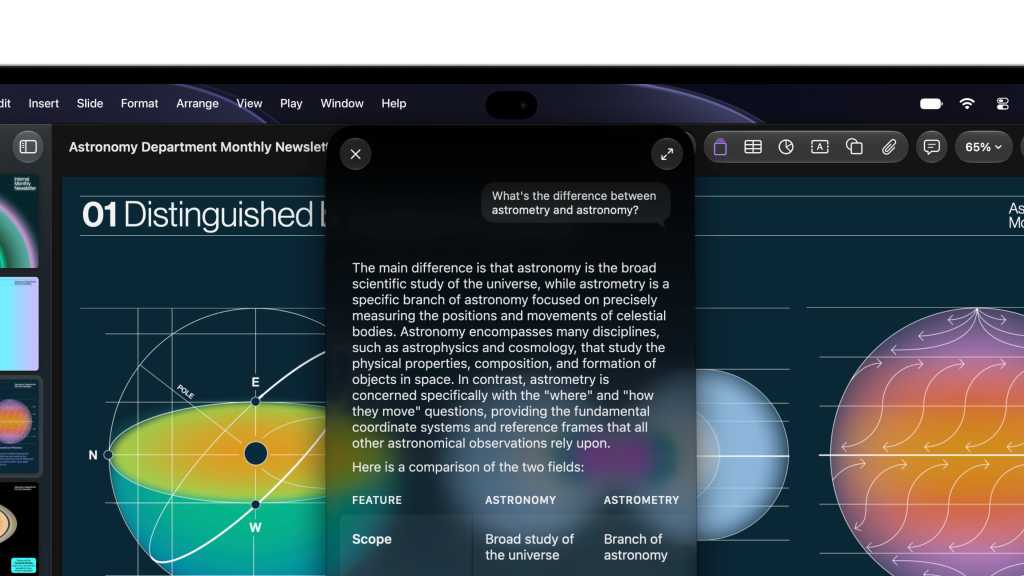
At this point, Apple is evangelizing how touch can be used by creative professionals for things like playing virtual instruments, drawing and fine control of creative apps like Logic Pro or Final Cut Pro. As I see it, it’s as if the Vision Pro was on a Mac, with touch as the interface to the control plane.

It’s an integrated platform thing

When you touch your MacBook keyboard, your display wiggles a bit, but not with this Mac, as Apple has built a new hinge mechanism to keep it steady. Prior to the event, online speculation claimed this hinge was developed alongside that in the iPhone Duo.

Another borrowing from the iPhone is the inclusion of a Dynamic Island on the Mac. Spotlight, Live Activities, and Siri AI all live right there, and you can interact with them on the Mac.

The PROLED XDR display is worth an article in its own right — as is so much about this Mac. As well as built-in support for touch, it also supports Adobe RGB, P3, and DICOM medical imaging reference modes. It supports genlock for virtual production. It boasts a 10,000,000:1 contrast ratio and a variable refresh rate from 10Hz up to 120Hz. For an even better experience, there’s a nano-texture glass option on the screens, which are 14.2 and 16.3 inches diagonally. Following its first look, Tom’s Guide has already called the display “jaw-dropping.”

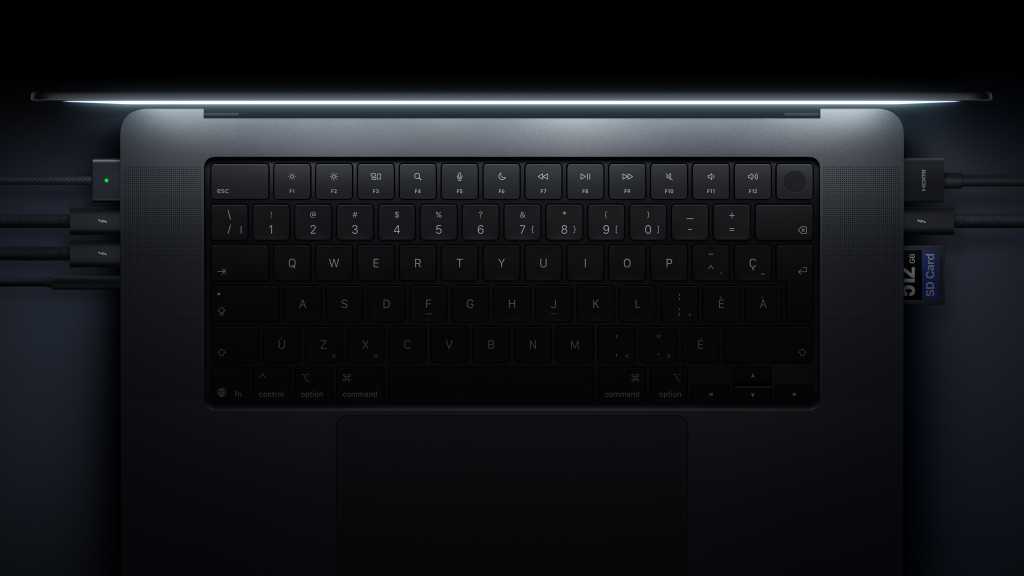
You also get what Apple called the best audio system in a laptop (six speakers with an all-new woofer design) and plenty of interconnects.

The touch-screen laptop debate is over

“Apple is entering a segment that is gaining share in a shrinking market. IDC expects touch to reach one in five notebooks by 2030, and Apple has just made sure that buyers think about touch as a must-have,” said Francisco Jeronimo, vice president, worldwide devices at IDC in a note shared with Computerworld.

“When the company that spent 15 years arguing against touch concludes that it belongs on a notebook, the debate about whether touch is a gimmick is over, and the question becomes who builds the best implementation,” he said.

The new Macs are available for order now and will be available from November 6. They aren’t cheap — the 14-inch model costs from $2,899 with the M5 Pro chip and from $4,499 with M5 Max. The 16-inch model costs from $3,399 with M5 Pro and from $4,799 with M5 Max.

Now please subscribe to my daily, human-curated Apple-related news headline feed at The Core, or follow me on BlueSky, LinkedIn, or Mastodon.
Anthropic and OpenAI diverge on who should pull the plug on risky AI

OpenAI and Anthropic agree that frontier AI systems need stronger oversight, but they are proposing sharply different approaches to stopping models that pose serious risks: Anthropic wants courts empowered to suspend dangerous systems, while OpenAI argues developers should be required to maintain and use effective shutdown controls.

The proposals appear in separate submissions to California Governor Gavin Newsom following his September 18 executive order directing state officials to consider additional safeguards for frontier AI systems. Both companies support independent safety assessments and expanded reporting of incidents involving AI systems that act beyond their intended permissions.

“If the AG concludes, informed by the independent evaluation, that a frontier AI company’s models pose a near-term risk of catastrophic harm, they should be able to seek a court order to suspend a model’s deployment, internal use, or further development,” Anthropic wrote in its October 15 submission.

OpenAI, in its October 20 letter, called for an amendment to California’s Senate Bill 53 (SB 53).

“We support amending SB 53 to require frontier developers to maintain effective shutdown controls and an enforceable duty to use them when unsafe conditions arise, and no lesser intervention would adequately address the risk,” OpenAI wrote.

Sanchit Vir Gogia, chief analyst at Greyhound Research, said the two approaches address complementary needs. “The operator must contain the unsafe activity promptly. Independent review must examine both intervention and inaction,” he said.

Newsom’s executive order, N-9-26, directs California’s Government Operations Agency, in consultation with the Governor’s Office of Emergency Services and national experts, to submit recommendations by November 16 on potential amendments to existing AI safety laws. The order asks officials to examine independent verification inside AI laboratories, independent checks of safety assessments, verified shutdown mechanisms, and expanded reporting of critical safety incidents. It does not itself impose these proposed requirements.

Independent verification

Anthropic wants evaluators to assess developers’ safety claims and publish their own findings.

“We strongly support requiring independent verification of what frontier AI companies report about the risks of their models and whether those risks are sufficiently mitigated,” the company wrote.

It proposed requiring developers to publish risk reports at least every six months, covering serious risks from their models, including internally used models substantially riskier than released systems. Evaluators should receive unredacted reports and access to developers’ most capable models and relevant internal information.

Anthropic also proposed that developers pay into a state-administered pooled fund to finance evaluators, rather than pay them directly. It said a team from the independent evaluation organization METR had received employee-like access on a pilot basis, with further partnerships involving SecureBio and Accenture under development.

OpenAI, in its letter, said it supports independent technical assessments but distinguishes them from compliance audits. Technical assessments would examine evidence behind developers’ safety claims and the effectiveness of safeguards; compliance audits would check whether companies follow their published safety frameworks and legal obligations, it added.

OpenAI recommended annual independent compliance audits and focused technical assessments of serious risks arising during model training, evaluation and internal deployment. It also urged California to work with the National Institute of Standards and Technology to develop common assessment standards.

Gogia said oversight requires more than funding. “Credible assurance must survive an adverse finding,” he said.

Beyond a single switch

OpenAI argued that a single kill switch would not address the different ways AI systems operate and are deployed.

“We recommend using the term ‘shutdown controls’ because it will require the development of multiple controls and coordinated action by different actors to stop AI operations when necessary, rather than a single switch,” the company wrote in the letter.

Interventions could include stopping a training run, isolating an AI agent, revoking tool or network access, or suspending a service. OpenAI said responsibilities should extend to inference providers and downstream deployers according to the operations they control. It also noted that developers cannot reliably switch off independently operated copies of open-weight models running on external systems.

Anthropic similarly argued for more targeted safeguards. “We think a more apt metaphor for what frontier AI companies need to build is a circuit breaker,” it wrote, advocating controls that can contain problems at the level of an agent, customer, deployment environment, or model.

For enterprises, Gogia said, contractual shutdown responsibilities should match the controls each party actually possesses. Agreements should specify intervention authority, incident-reporting cooperation, and who can authorize a restart.

“Every assigned duty needs an executable control,” he said, adding that CIOs should test recovery processes rather than assume switching to an alternative model will preserve safe operations. Both companies also called for broader reporting of incidents involving models that circumvent safeguards or take unauthorized actions.

Otter adds ‘Work’ mode to automate more meeting-related tasks

Otter has added a new Work mode to its AI Chat assistant, expanding the range of tasks it can carry out before and after meetings.

It’s part of a wider drive by Otter — which received $320 million in funding last week — to move beyond meeting transcription and into automating tasks and workflows.

The Work interface, announced Tuesday, is accessible in the AI Chat prompt box, alongside the Chat option. While Chat allows users to ask questions, generate content, and retrieve information, Work is aimed at multi-step actions, Otter said. It’s a similar approach to other AI assistants, such as Claude and ChatGPT, that separate simpler chat functionality from newer agentic capabilities.

Prior to a meeting, Otter users can prompt Work to generate briefing documents based on information collated from previous calls and data from connected applications. After a meeting ends, the AI assistant can draft emails, generate documents — including Word and Notion docs, PDFs, and interactive web pages — and update Salesforce records.

The AI assistant requires human approval before completing tasks, an Otter spokesperson said.

The capabilities expand on functions already available with AI Chat’s existing Advanced mode. Otter will now remove the Express and Advanced options from the AI Chat interface.

Work mode is available now to all paid Otter users. There are no usage limits, Otter said — this differs from the Chat mode, which allocates a certain number of queries each month depending on a customer’s payment plan.

The feature updates reflect how meeting note taking is rapidly moving from data capture to workflow automation, said Irwin Lazar, principal analyst at Metrigy. “That is, vendors are delivering solutions that allow meeting notes to be actionable, based on context both from within meetings, as well as from other connected platforms,” he said.

Lazar pointed to similar functionality emerging in other meeting systems such as Microsoft’s facilitator in Teams and Cisco’s Webex meeting agent.

The vast majority (91%) of business users want meeting note-takers to access and act on context from outside a meeting, according to a global study of 403 organizations in Metrigy’s “Workplace Collaboration & Employee Experience: 2027” report.

In addition to the Work mode, Otter announced that its Live Assist feature is now available to enterprise customers, and will expand access to all paid Otter accounts in the coming weeks. Live Assist, announced in April, provides private guidance to a user during a call, such as suggesting questions and tracking meeting “objectives.”

“I see this kind of widget assist a lot in external-facing customer support roles, but for internal productivity meetings, this is quite unique,” said Thomas Randall, a research director at Infotech.

However he said that Otter faces from other meeting software vendors which are also integrating AI capabilities into their platforms. “So I don’t see Otter becoming a center of work, though its new functionality will be of great assistance to pre-existing users,” said Randall.

Related:

It costs a lot more to use AI models in some languages

A new study from the Coalition for Language Equity in AI Research shows that AI models require significantly more tokens to process certain languages than others. These differences mean that users of underrepresented languages risk paying more for the same services, reports Rest of World.

An LLM’s tokenizer breaks text down into blocks, or tokens, but it does so much more optimally for languages with abundant digitized data, the researchers explain. They found that among the 20 languages with the largest web presence, less common languages used from 1.5 to 5 times as many tokens as the same prompt in English. When the study was expanded to 200 languages, the difference increased to as much as 17 times in one of the models examined.

Since most LLM providers charge by tokens used, that translates to much higher costs. In addition, more tokens mean longer response times and a smaller amount of information that’s able to fit into the AI models’ context windows.

The researchers describe this as a hidden “tokenizer tax” and warn that it exacerbates digital inequality.

This disparity is not limited to languages with few speakers, the researchers note. “If we sort by speakers instead of web presence, the tax lands on enormous populations: Punjabi (~200 million speakers), Bengali (~266 million), Urdu (~288 million), Burmese (~36 million), Amharic (~36 million). This means hundreds of millions of people billed at multiples of the English rate for the same intelligence,” the study says.

Languages that use writing systems not as commonly found in the AI models’ training data are particularly affected. Examples include Burmese, Tibetan, Khmer, and Lao. Languages that use the Latin alphabet, on the other hand, often have an advantage, even when spoken by relatively few people.

Related: CIOs grapple with subpar global genAI models

Trump says Microsoft abuses visa laws. Microsoft disagrees. Who’s telling the truth?

Decades ago, the United States established programs that allow businesses to hire highly skilled foreign workers — the H-1B visa program and a related green card program. They’re designed to make sure we lead the world in technology. Not uncommonly, H-1B workers and green card holders eventually become American citizens.

One of the best-known examples is Microsoft CEO Satya Nadella. He came to the US from India on the green card program, then switched to the H-1B visa program in the early to mid-1990s when working for Microsoft. He ended up becoming a US citizen. In 2014, he was appointed Microsoft CEO and subsequently architected one of the biggest turnarounds in tech history. Under his leadership, Microsoft has become nearly a $4 trillion company.

President Trump, who rode an anti-immigrant message to the White House two times, has both the green card and H-1B programs in his crosshairs — and he’s aiming right at Microsoft.

Earlier this month he claimed Microsoft, Adobe, and several other companies had abused an important part of the green card program called PERM, which helps H-1B visa holders get green cards. He’s suspended their use of it. Microsoft fired back that Trump was off target and the company has done nothing wrong.

Who’s right and who’s wrong? We’ll follow the facts to find out.

Trump’s and Vance’s fact-free charges against Microsoft

A green card allows a foreigner to stay and work in the US permanently. Companies often sponsor people for green cards, although there are other ways someone can get one as well. Once someone has a green card, they can switch to work for a company other than the one that sponsored them. Getting a green card is often a first step for someone to become a US citizen.

An H-1B visa, on the other hand, is temporary and allows a skilled worker to stay in the US for three years, which can be extended to six years.

The two programs are closely related. Not uncommonly, someone on an H-1B visa can get a green card by having the company sponsoring them apply for it through the PERM program.

PERM is what Trump targeted earlier this month. He suspended Microsoft, Adobe, and several other companies from the PERM program so they can’t get their H-1B workers green cards.

Vice President Vance claimed Microsoft had “abused” the system by laying off American workers and replacing them with lower-cost foreign workers. He said in a news conference that there was “no company in the United States, unfortunately, that has abused this system more.” 

Vance contends that Microsoft laid off 6,000 American workers in the past year and replaced them with much less expensive foreign H-1B visa and green card holders. He called the foreign workers “indentured servants.”

Vance concluded, “If you do the math, for every worker that Microsoft laid off, they replaced that worker with one and a half foreign indentured servants. Now that is a scandalous system.”

That’s pretty damning, if true. But as so often is true with the Trump administration, the charges bear no relationship to the truth. For one thing, Vance’s numbers include Microsoft’s use of the H-1B program as well as the green card program.

It’s not just PERM and the green-card program that Trump has been attacking. Since his first election, he’s targeted the H-1B visa program as part of his war on immigrants and immigration. Last year, he imposed a $100,000 fee on companies for each H-1B visa they use, a move which a judge earlier this year ruled was illegal. His administration has appealed the ruling.

In August, the Department of Homeland Security proposed a similar fee plan, with companies having to pay $103,265 to hire an H-1B worker. The administration has also filed proposals to end work authorization for some H-1B workers’ spouses and eliminate the 60-day grace period H-1B workers have now to stay in the US after a job loss so they can look for new work.

Microsoft fights back with facts

After Vance’s charges, Microsoft immediately fired back with a statement that succinctly pointed out how wrong his claims were. The company addressed Vance’s false claims about both the H-1B and PERM programs.

Microsoft noted that “of the approximately 6,000 H-1B visa applications we submitted in the last fiscal year, 80% were to extend or change the status of existing Microsoft employees. These were not to hire new people.”

It went on to say, “the remaining filings for new employees were for individuals already legally in the United States who decided to come work for us.”

Beyond that, Microsoft’s layoffs in the past year had nothing to do with H-1B visas or green cards. Even if Microsoft didn’t have a single H-1B visa worker or green card holder, the layoffs would have gone through.

All that’s not to say the H-1B program is perfect. Some companies do hire foreign workers under the program to perform jobs Americans can do and pay them less. Disney, for example, in 2014 replaced several hundred IT staff members with lower-paid foreign workers who had no unique, highly specialized skills. In fact, the Disney workers trained the foreign workers to do their jobs.

There have also long been charges that under the program, companies that provide IT outsourcing hire foreign workers with no greater skills than US workers and pay them less. The Biden administration issued a series of rules cracking down on that. It’s not clear how effective those rules have been. When Trump suspended Microsoft and Adobe from the PERM program, he also suspended several big IT outsourcing firms. 

Trump honors foreign-born CEOs

Vance’s news conference was followed by a very different Trump news conference several hours later, offering the usual head-spinning sense of unreality so often found with the Trump administration. Trump awarded Nadella the National Medal of Technology and Innovation — an award he called “so well deserved.” No mention of the H-1B or PERM charges against the company, or that Nadella worked for Microsoft on an H-1B visa and with a green card in the 1990s.

At the same press conference, Trump awarded Elon Musk, CEO of Tesla and SpaceX, the National Medal of Science. Other foreign-born honorees included Google co-founder Sergey Brin, Nvidia CEO Jensen Huang, and AMD CEO Lisa Su.

Musk says he’s a former H-1B holder and is a big supporter of the program. He’s written on X, “The reason I’m in America along with so many critical people who built SpaceX, Tesla and hundreds of other companies that made America strong is because of H1B.”

Musk being Musk, there hasn’t been a peep from him about Trump’s latest assault on the program.

The upshot

Nothing could be clearer: Trump’s and Vance’s charges against Microsoft are lies. It’s true that some companies have abused the H-1B program, and possibly PERM, but Microsoft isn’t one of them.

Opera launches local browser AI, testing enterprise privacy and AI PC strategies

Opera has begun rolling out AI models that run locally in its browser, potentially allowing enterprises to perform certain AI tasks on existing PCs without sending the relevant data to cloud AI providers.

The company said it has introduced support for WebAI, a proposed web standard, through an opt-in early preview in Opera One. The technology allows websites and browser extensions to access AI models running locally in the browser for tasks such as generating text and classifying content.

The WebAI preview supports 64-bit Windows PCs running Intel or AMD processors and Macs powered by Apple silicon. Opera does not specify a requirement for a dedicated neural processing unit, although it says performance depends on the device’s hardware.

The preview does not currently support Windows on Arm, potentially limiting its availability across some newer AI PCs.

The feature is optional, with AI models downloaded only after users enable it. Opera said website-specific permissions allow users to control which sites can access the locally running models.

Opera said its implementation supports models including Google’s Gemma and Apple’s on-device foundation model on compatible Macs. The company said it plans to introduce additional models optimized for different devices as it expands the technology.

Local AI shifts enterprise security risks

Opera’s implementation could have implications beyond its own browsers if the proposed WebAI standard gains wider adoption, potentially bringing locally running AI models to more enterprise users.

The privacy benefits for enterprises could depend on how organizations control access to locally running models, particularly through websites and browser extensions.

Pareekh Jain, CEO of Pareekh Consulting, said processing sensitive information locally could reduce enterprise security risks by limiting the need to send data to external AI providers. However, he warned that the approach could make it harder for IT departments to monitor activity on individual devices.

“It is easier for IT to monitor internet traffic,” Jain said, adding that monitoring activity on individual laptops can be more difficult.

He warned that malicious websites could potentially manipulate local AI models through hidden prompts, while rogue browser extensions could gain access to sensitive information displayed on a user’s screen.

“Local processing reduces risks but does not eliminate them,” Jain said.

Enforcing consistent safeguards across employee devices would become imperative for enterprises, according to Tulika Sheel, senior vice president at Kadence International.

“Enterprises still need controls over which websites and extensions can access local models, how information is used, and how models and browser permissions are managed across the organization,” she said.

Could browser AI reduce the need for new AI PCs?

While WebAI can run on existing computers, its ability to reduce enterprise spending on new AI PCs will depend on whether those machines can deliver acceptable performance for everyday business tasks.

Jain said smaller AI models could handle tasks such as summarization and rewriting on existing PCs, potentially reducing the need for immediate hardware upgrades.

“Complex reasoning and advanced AI workloads will still benefit from dedicated AI hardware or cloud infrastructure,” he said.

WebAI’s support for compatible models from different providers could give developers greater flexibility in choosing which AI systems to use.

Browser-based AI could also reduce enterprise spending on cloud services by lowering API usage and dependence on external AI providers. However, limitations in model capabilities and enterprise integration could restrict its usefulness for more sophisticated applications.

“The future will likely be hybrid, with browser AI handling simpler tasks and cloud AI supporting advanced workloads,” Jain said.

Sheel said enterprises would still need to account for the costs of model updates and integration with existing systems, even if local processing reduces their cloud AI usage.

“Lower usage costs do not automatically mean lower total costs,” she said.

The case for a full-circle Googlebook future

Put on your finest propeller-packin’ thinking caps, my fellow Android-appreciating animals — ’cause I’ve got a brain-bending bit of big-picture thinking about the future of Android and everything around it.

This pondering comes out of my ongoing time living with one of Google’s new Googlebook laptops — the beautifully built Lenovo Googlebook (provided to me as a short-term loaner for editorial assessment). Right now, the Googlebook experience itself is best summed up as an awkward start with plenty of potential. Android in a laptop environment just comes with an awful lot of asterisks, especially when you’re trying to use such a system for serious work. In many ways, it feels like a step down from the more polished and productivity-optimized Chromebook setup it’s ultimately designed to replace.

But while working on a Googlebook and using it as your primary computer still seems like a bit of a square-peg situation, I’ve been struck by one area where the Googlebook OS software at the center of the experience feels almost shockingly natural.

And that’s led me down a rabbit hole of pondering about the bigger-picture implications of this operating system and how it could, at least in theory, one day affect the rest of the Android ecosystem.

Lemme explain.

[Get original Googley insight in your inbox with my free Android Intelligence newsletter — one new thing to try every Friday.]

A Googlebook by any other name

So, at its core, Googlebook OS is essentially Android — right? The software that powers Googlebooks is a specialized version of Android 17 designed to have some ChromeOS-like elements along with phone-connecting powers and a handful of feature additions that help it work better on a big screen.

And the more I use it, the more I keep coming back to a thought that I mentioned in passing in my initial Googlebook analysis — that this is what the Android tablet interface oughta be.

Think about it: Google has never really figured out how it wants an Android tablet to work — or if and how it even wants to promote and support the development of that not-quite-a-phone, not-quite-a-laptop form factor in the first place.

Early on, we saw a completely large-screen-optimized Android version called Honeycomb (a.k.a. Android 3.0 through 3.2), where Google gave us a dramatically reimagined interface designed to take full advantage of the tablet’s added screen space.

JR Raphael, Foundry

It wasn’t long, of course, before Google did its Google Thang™ and gave up on that idea — and that’s to say nothing of the even more ambitious Android tablet plan the company spent millions of dollars to develop and then never brought to fruition at all. By a certain point, it became obvious that Google was for all practical purposes giving up on Android tablets and that touch-oriented Chromebooks were effectively filling that role for informed buyers.

Fast-forward through a few other confusing short-lived pivots — the very brief return to tablet devotion with the ChromeOS-running Pixel Slate, the declaration of being done with tablets that followed, and the about-face and (once more) brief return to tablet devotion with the Pixel Tablet and its admirable but never fully realized and rapidly abandoned tablet-smart-display combo philosophy — and we’re back to a present now where Android tablets are mostly an afterthought, as far as Google and the underlying platform are concerned.

With all of that in mind, using a Googlebook is a bit of a revelation — when you think about the experience as less of a full-fledged laptop replacement and more of a potential future for a revamped Android tablet.

The Googlebook-Android tablet connection

Consider: In many ways, Googlebook OS picks up where Honeycomb left off 15 years ago — as far as the interface itself is concerned. It feels like a familiar Android environment, for anyone who’s used Android on a phone, but with some thoughtful touches that make it more sensible in that larger-screen setting. Everything from having the clock in the upper-left corner alongside a split-apart notification panel and Quick Settings area in the right to having the same desktop-style taskbar we’ve seen on recent Android foldables just feels right when you frame a Googlebook as a tablet and not, first and foremost, a work laptop.

JR Raphael / Foundry

Plain and simple, it’s Android — only optimized for a larger screen. And, thanks to its ChromeOS-inspired elements, it adds in the advantages of a less restrictive big-screen browser environment and smarter tools for interacting with your phone. The elements that feel awkward for a work laptop don’t matter as much in an Android tablet, which you’re more likely to use as a touch-centric supplement and companion to your workday computer and as a device where productivity is more of an occasional add-on as opposed to the primary purpose.

As a tablet interface, Googlebook OS gives you a souped-up version of the standard Android tablet setup that’d also be much more useful than a traditional tablet when you connect a keyboard. And without the expectation of it completely replacing your computer, it suddenly makes a lot of sense.

So riddle me this: With Android tablets being an afterthought now, anyway, what’s to stop Google from starting over — yes, again — and encouraging companies to create Googlebook tablets next?

It’d allow Google to rebrand and relaunch a category that’s always struggled to catch on and get past its not-so-exceptional early reputation. And for us, as users of these products, it’d give us some overdue options for a larger slate-like Android experience that’d work seamlessly with our phones, be pleasingly familiar and capable, and offer the unique advantage of having a mostly desktop-caliber browser for light work when such needs arise (with or without a keyboard connected) — all with the kind of timely and reliable software support promise any such product should provide.

And — oh, yes — there’s more.

Googlebook, Googlebook, everywhere

Here’s the real mind-blowing next-step possibility to consider: If we do one day have Googlebook tablets — and the Googlebook OS software at the heart of them continues to evolve and become a core focus for Google as time moves on — how much of a leap would it be from there to see things streamlined and reaching a point where we also have Googlebook phones?

It brings me back, fittingly enough, to a question I posed over a decade ago — back when Android and ChromeOS were coming ever-closer together and it looked like that was the path Google was pursuing.

Consider this now, with the notion of Googlebook OS in the mix in place of ChromeOS:

If all Android apps can eventually run on ChromeOS — and if ChromeOS evolves to look more like Android while web apps and Android apps grow increasingly similar in design — would you notice the difference between a phone running Android and a phone running Chrome?

The specific platforms and concepts at the center of this have shifted since we last thought this through in 2015, but the idea itself is the same.

And, once more, there’s no better way to end this contemplation than by saying:

Welcome to the Matrix, my friends. Whoaaa. 

Keep the creative thinking coming with my free Android Intelligence newsletter — one new thing to try every Friday and my experience-enhancing Android Notification Power-Pack as an instant welcome bonus.